Zhiyun Weebill S Professional-grade Gimbal For Vloggers
Zhiyun Weebill S The Go-To Professional Gimbal For Vloggers
If you’re searching for a reliable gimbal to create smooth, cinematic shots for your vlogs or video content, the Zhiyun Weebill S is a popular choice among creators. Here, I’ll cover the main features, setup process, supported cameras, battery life, and answer other frequently asked questions about this gimbal. My goal is to provide straightforward and helpful answers based on my own experience and research.
General Information About The Weebill S
Zhiyun weebill s gimbal on Amazon
What is the Zhiyun Weebill S?
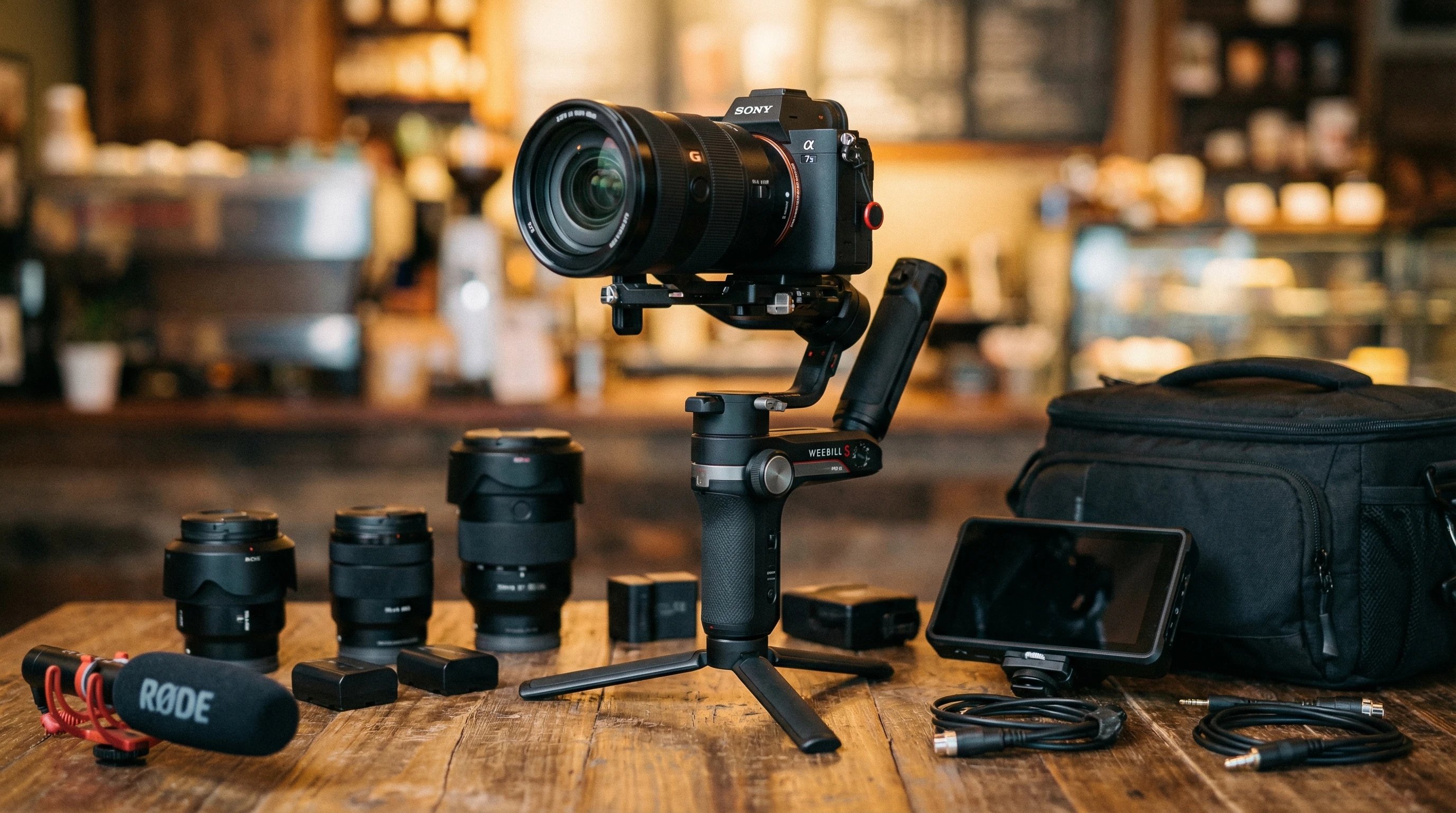
The Zhiyun Weebill S is a compact handheld gimbal stabilizer made for DSLR and mirrorless cameras. Its main job is to keep your shots smooth even while you’re walking or moving around. I use it when I want steady footage for vlogs or action scenes where tripods just are not enough.
Who is the Weebill S designed for?
I’ve found this gimbal works well for travel vloggers, YouTube creators, filmmakers, and anyone who often films videos that require moving shots. It’s small enough to carry around for daily filming but powerful enough for more professional work too. Whether I’m shooting in the city, hiking outdoors, or filming events, the gimbal holds up and delivers great stability in a variety of settings. Having a compact stabilizer means I can capture more dynamic footage wherever the adventure takes me.
What cameras work with the Weebill S?
The Weebill S supports most popular DSLR and mirrorless cameras from brands like Sony, Canon, Nikon, Panasonic, and Fujifilm. Before buying, I always double-check Zhiyun’s official camera compatibility list to make sure my camera and lens combination fits and balances well. The gimbal can handle both smaller mirrorless rigs and heavier full-frame DSLRs, which gives me a lot of flexibility as I like to experiment with different lenses.
Zhiyun weebill s gimbal on Amazon
Features & Controls
What makes the Weebill S appealing for vloggers?
For me, the compact size and lightweight build make it easy to carry the Weebill S around all day. The handle design lets me hold it upright or in underslung mode with little effort. The controls are simple, and switching between different shooting modes, like pan follow or lock mode, is fast. There’s also a follow focus option with supported lenses, which is really helpful for creative shots. The ability to quickly switch between handheld and low-angle shots has helped me add some next-level cool smoothness to my videos.
Is the Weebill S easy to balance?
Balancing the gimbal usually takes me less than ten minutes once I get used to it. The sliding quick release plate is a handy feature because it makes camera mounting and swapping straightforward. Having marks on the axes helps because I can write down my camera settings for quick setup next time. Zhiyun’s official YouTube tutorials are clear and make the balancing process much simpler for new users. If you ever get stuck, plenty of user videos also break it down step by step.
Zhiyun weebill s gimbal on Amazon
What modes and shooting options are included?
This gimbal includes six major shooting modes: Pan Follow, Lock, Follow, POV, Vortex, and Go mode. I use Pan Follow for landscapes, Lock mode for product shots, and the Vortex setting for creative spinning shots. These modes help me get a wide variety of footage styles in my projects without needing extra gear. The Go mode adds value for quick action sequences, while POV helps me get immersive footage that others love watching.
Battery, Charging & Accessories
How long does the battery last?
In my experience, the Weebill S can last up to 14 hours on a full charge. This is usually plenty for a long shooting day. If I need even more backup, I carry an extra set of batteries, since the gimbal uses two standard 18650 batteries that I can swap out anytime. Having extra batteries means less worry about power on trips or while documenting an event from start to finish.
How do I charge the gimbal?
I charge the batteries with the included charger and a regular USB cable. Charging the batteries fully can take up to three hours, but I always charge them overnight so they’re ready for the next day’s shoot. It’s good to have a power bank on hand just in case power outlets are not nearby. I recommend keeping a USB charger handy in your bag to make it easy to recharge when you’re on the move.
Are there accessories available?
Zhiyun offers several official accessories like a follow focus motor, smartphone mount, and extra quick release plates. I’ve picked up a mini tripod for easier setup and found that third party accessories like camera cables and carrying cases are widely available. Accessories add flexibility for different types of filming. Third party add-ons, like longer tripod bases or adjustable grips, help me adapt the gimbal for complex shoots or unique angles without much hassle.
Zhiyun weebill s gimbal on Amazon
Setup & Use
How do I get started with the Weebill S?
Setting up the gimbal means charging the batteries, attaching your camera, and balancing the axes. I always make sure to spend some time learning the balance process; getting it right helps the motors work properly and gives the best battery life. Once my camera is balanced, I use the joystick and mode buttons to get the kind of shot I want. Taking a few minutes to practice different moves with the joystick lets me control my camera smoothly and follow subjects easily, even in busier settings or moving crowds.
Is there a mobile app?
The ZY Play app connects to the Weebill S via Bluetooth, allowing me to control settings, modes, and even calibrate the gimbal from my phone. The app also offers firmware updates and timelapse controls, which are handy when I shoot longer projects or want to automate some shots. With remote controls in the app, I can stand in front of the camera for self-recording or check in on settings without touching the gimbal directly.
Zhiyun weebill s gimbal on Amazon
Support, Warranty & Troubleshooting
What if something goes wrong?
I’ve contacted Zhiyun customer support a few times, and they responded within one or two days through their website. They also have a super detailed FAQ page and official forums where I’ve tracked down answers to minor issues like motors not working or balancing problems. The community and support team can help you spot solutions quickly, so you can get back to creating new videos without losing too much time.
What kind of warranty does the Weebill S have?
Zhiyun offers a one year warranty for the Weebill S when purchased from authorized dealers. Keeping my receipt makes warranty claims much easier if I ever need service. After registering your device on Zhiyun’s website, the warranty process is pretty smooth and you’ll find your repairs or questions get sorted out fast.
Zhiyun weebill s gimbal on Amazon
Still Have Questions? Contact Me Or Zhiyun Direct
If your question isn’t answered here, feel free to reach out on Zhiyun’s official support page or visit community forums for real world tips from other users. I’m always happy to share tips based on my own experience with this gimbal, so leave a comment or message and I’ll do my best to help you get the most out of your Weebill S.
Zhiyun weebill s gimbal on Amazon