Interactive Polls And Stickers In Instagram Vlogs
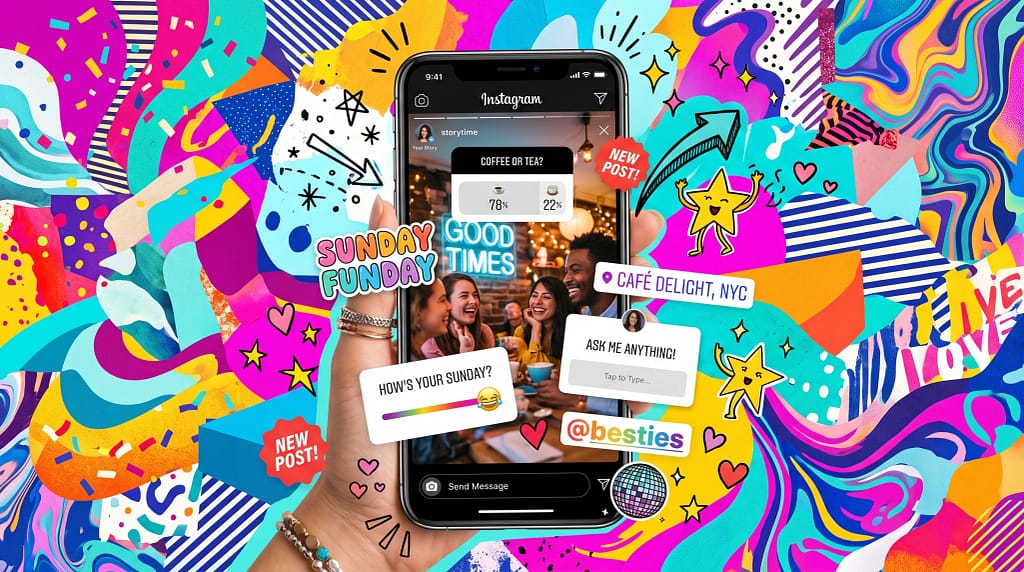
Interactive polls and stickers have changed the game for Instagram vloggers. If you’ve ever scrolled through Stories and stopped to answer a quick poll or tap a quirky slider, you already know how engaging these features can be. Using polls and stickers can boost your viewer interaction, help share your personality, and even get feedback for your next vlog topic. I’ve spent a lot of time experimenting with them. Now, I’m excited to share an all-in-one guide on making your Instagram vlogs more fun and interactive.
Why Use Interactive Polls and Stickers in Instagram Vlogs?
From what I’ve seen, interactive features aren’t just for novelty; they offer real benefits. Polls, sliders, questions, quizzes, and animated stickers make viewers not just passive watchers but active participants. For niche vloggers, fan creators, or anyone building a brand, these little touches lead to more regular engagement, higher viewer retention, and extra chances to get feedback or crowdsource ideas.
Instagram itself highlights the usefulness of these interactive tools in their official marketing resources. The idea is simple: the more someone taps, answers, or reacts, the more likely they are to keep watching, and to come back for more. This means your audience isn’t just scrolling; they’re connecting.
Get Started with Instagram Polls, Stickers, and Interactive Features
If you’re new to these features, don’t stress; Instagram makes the process easy. Here’s a simple breakdown of the basics:
- Poll Sticker: Lets you ask a question with two answer options (“Yes” or “No,” or any two custom responses). Viewers tap to vote.
- Quiz Sticker: Lets you create a multiple-choice question (up to four answers), and shows the correct answer when tapped.
- Question Sticker: Opens up a text field for viewers to send you questions or responses.
- Emoji Slider: Lets viewers rate something along a sliding scale with a chosen emoji.
- Hashtag, Mention, and Location Stickers: While not interactive in the same sense, these boost discoverability and add context to your vlogs.
To use these, just record a video or upload your content to your Instagram Stories, tap the sticker icon at the top, and pick the feature you want. Placement and timing matter, so give a second or two for context before the sticker appears if you’re editing your vlog in advance. Before long, adding stickers becomes second nature.
Quick Guide to Boosting Engagement with Interactive Polls and Stickers
From my experience, a bit of planning can make a big difference. Here’s how you can get the most out of polls and stickers for your vlogs:
- Plan Your Interaction Point: Decide ahead of time where you want viewers to get involved—at the start, in the middle, or near the end. Try teasing a question early in the vlog and encourage viewers to answer.
- Choose the Right Format: Polls are great for quick decisions (“Which snack should I try next?”). Question stickers are perfect for gathering feedback (“What should I vlog about next week?”).
- Design for Visibility: Always place your sticker where it’s simple to spot without covering your face or key visuals. High contrast backgrounds work best for stickers to stand out.
- Use Creative Prompts: Instead of a generic yes/no, try playful options or funny quiz answers that show off your vlogging style.
- Reply to Responses: Viewers love a shoutout. Share some of your favorite replies or poll results in your next story; this keeps the back-and-forth going strong.
These small tweaks can turn simple Stories into an interactive series that keeps followers checking back. Sometimes it’s as easy as asking “What should I vlog next?” or “Which look is more eye-catching?”
What to Know Before Adding Polls and Stickers to Your Instagram Vlogs
Interactive features are awesome, but there are a few things worth keeping in mind:
- Frequency: Using polls or question stickers every single story can feel overwhelming for your audience. Mixing formats helps keep things fresh so people don’t get bored or skip.
- Timing: Stickers work best when viewers are active. I’ve noticed that between 11am-1pm and 7pm-10pm in my local timezone gets the best engagement. It’s smart to test timing and see what fits your crowd.
- Clarity: Vague or confusing questions pull in fewer responses. Be super clear in your prompts—keep it short, direct, and friendly for better results.
- Analytics: Instagram provides insights on your polls and stickers if you have a business or creator profile. You can see how many people voted or viewed. This helps shape future vlog directions and gives a feel for what’s working.
Common Hurdles and How to Handle Them
Low Engagement
If your first few polls don’t get tons of responses, don’t worry; it’s normal. Engagement builds as your audience gets used to interacting. Try mixing up your sticker style, experiment with more specific or fun questions, or gamify your story with mini rewards.
Negative Responses
Sometimes anonymous questions bring out random or negative comments. I handle this by curating what I share publicly, and I always focus on the positive or helpful replies. You set the tone for your channel.
Technical Glitches
Stories may lag or stickers might not show properly, especially on older devices. Keeping the app updated solves most issues. Recording vlogs in advance often gives you more control over sticker placement and clarity.
Advanced Ideas for Interactive Vlogging
When you’re ready to get into more advanced tactics, here are a few of my favorite ways to step up storytelling:
Layering Stickers: Try combining a poll with an emoji slider in different parts of the same story to get a sense of viewer mood and make the experience dynamic.
Contest or Trivia: Use quiz stickers for quick trivia or host mini-giveaways by asking viewers to answer a poll. I’ve sent out digital stickers or shoutouts to random participants; it’s a next-level cool way to build community.
User Generated Content: Add a question sticker where viewers can submit their own photos or stories, then share responses (with permission) in your next vlog. This pumps up the community vibe and gets people even more invested in your creation.
Story Series: Stretch a bigger topic over a few days, with different poll or question stickers for each update. I did this for a weeklong recipe challenge, letting viewers vote on ingredients for every meal, which kept everyone checking in daily for updates.
Real-World Examples and Use Cases
Loads of Instagram vloggers use these tools with flair. Here are some spots where polls and stickers work especially well:
- Travel Vlogs: Let viewers pick which attraction you see next, or rate street food finds with emoji sliders.
- Behind the Scenes: Use question stickers to answer FAQs about your setup, gear, or daily routines.
- Tutorials: Drop a quiz sticker at the end to see how much viewers picked up—this is a fun approach for beauty, fitness, or DIY vlogs.
- Q&A Sessions: Collect questions or topic suggestions with a question sticker, then answer them in a laid-back sit-down vlog segment.
I’ve even seen musicians use polls to pick their next cover song, and artists show different versions of a project, letting people vote for favorites. With so many styles, there’s an interactive sticker or poll for just about any niche.
Most Asked Questions About Instagram Polls and Stickers
Question: How often should I use polls and stickers?
Answer: I try not to overdo it; two or three times a week keeps things fun and doesn’t feel spammy. Special campaigns or themed weeks might call for more frequent uses—see what your followers enjoy.
Question: Can I see who answered my poll or question sticker?
Answer: Yes. Tap your story and swipe up to spot usernames and how they responded. This is private for you, letting you reach out or just get to know your followers better.
Question: Do polls and stickers work in Instagram Reels or just Stories?
Answer: For now, polls and stickers are only interactive in Stories. Reels allow some stickers, but they aren’t interactive in quite the same way yet. For best results, stick with Stories when you want direct engagement.
Get Creative with Instagram’s Interactive Story Tools
Figuring out your own creative twist is part of the fun. Even with all the features Instagram introduces, the real value comes from how you make them fit your personality and your community vibe. I love asking followers to vote on silly “this or that” questions or using emoji sliders to get feedback when trying out new things in my vlogs. When you’re open and authentic, people are way more likely to join in.
When I’m stuck or looking for new ideas, I check out popular creators and see what’s working for them. Don’t be afraid to try something offbeat or unexpected; there’s a sticker or poll for nearly everything these days. Keeping an open mind and a playful attitude really helps build an active, excited audience for your Instagram vlogs. Start experimenting, and soon you’ll stumble upon interactive tricks that you and your followers love!