Best AI Tools For Royalty-free Music Creation
Making music using artificial intelligence has spread like wildfire in popularity, especially for people who need royaltyfree tracks. Think YouTubers, podcasters, indie filmmakers, and even small businesses. If you’re after a lively background tune or a moody cinematic score but want to avoid the headaches of licensing, AI music generators are a real lifesaver. I’m going to lay out everything you need to know about picking the best tools and how they can help you whip up royaltyfree music that’s yours to use however you want.
Why AI Tools for RoyaltyFree Music Are Worth Considering
AI music generators put real, original tracks within easy reach even for people with zero musical background. The tech is soaring—reports show that the AI generated music market could reach $2.6 billion by 2025 (source)—driven by the huge demand from content creators. These tools help anyone who doesn’t want to juggle copyright issues or fork over big money for traditional music libraries. Once you create your track, you can use it for vlogs, games, business promos, or practically anywhere you want without worry.
The core aim of these tools is simplicity and access. Whether you need pop jingles, mellow jazz, dramatic orchestral pieces, or electronic beats, it’s all up for grabs. The software isn’t picky—it wants your creative input, not your ability to read sheet music.
How do AI Music Tools Work
AI music tools use machine learning and huge music libraries to come up with fresh tracks on the fly. You’ll usually get to set the style, mood, tempo, length, and mix of instruments. Some even let you sing, hum, or use reference tracks. Here are a few basics to get you going:
- Style Presets: Choose from genres like hip hop, jazz, EDM, or classical so the music matches your specific vibe.
- Mood Controls: Set the mood—uplifting, relaxing, dramatic, or spooky—to nail the right emotion.
- Customization Features: Adjust the tempo, structure, or instrument mix for that personal touch.
- CopyrightFree Output: Download and use the finished track with no copyright worries or extra fees.
More advanced tools can even analyze your video to automatically sync music to scenes, saving loads of editing time.
Quick Start Guide? Make Your Own RoyaltyFree Music with AI
Getting started is a total breeze. Here’s a simple stepby-step:
- Pick The Right Platform: Choose an AI tool for your needs. Some are best for full songs, others are a snap for background loops.
- Set Your Preferences: Input your mood, genre, tempo, and desired length. Certain tools let you tinker with instruments or even add vocals.
- Preview and Adjust: Listen to draft tracks and tweak settings until you’re happy with the sound.
- Download and Use: Download the audio file and pop it into your project. Most tracks are ready for both personal and commercial use (just be sure to look over the terms each time).
This whole process is lightning fast and far less intimidating than traditional songwriting or composition. Plus, a few platforms allow you to team up with friends and make music together in real time.
Things to Consider Before Committing to an AI Music Generator
Each tool has its big wins and a few quirks. Picking the right one isn’t only about the flashiest demo track. It takes some honest evaluation of your needs. Some key things to think about:
- Output Quality: Some tools sound super realistic, while others have a synthetic feel. Check out a few samples before you commit.
- Licensing Terms: Always look closely at what “royaltyfree” truly means for each platform. Some give unlimited freedom; others want credit or limit reselling.
- Ease of Use: Simplicity can be a life saver. Look for clear, beginnerfriendly platforms.
- Export Options: The ability to download high quality WAV or MP3 files, and multitrack stems, is a must if you want to tweak or mix further.
- Pricing: Some are completely free with some restrictions, while others charge for full access. Figure this into your project’s budget.
Output Quality
Sound quality has hit a new level in recent years, but not every tool is there yet. I try a couple of tracks before deciding. Many sites highlight samples right on the homepage. Give them a listen to see if they’re right for your vibe.
Licensing Terms
Platforms vary in their freedoms. Even if most let you use tracks just about anywhere, always skim their license agreement before downloading. Some say yes to all projects; others have boundaries on commercial stuff or reselling.
Ease of Use
If you’re not musically trained, a draganddrop or stepbystep interface makes things run smooth. Pick the platform that gets you from tune idea to finished file in minutes rather than hours.
Pricing
Expect everything from free versions (with some limitations) to paid subscriptions with full access. Free plans might watermark or restrict downloads. Paid ones unlock the full toolset—choose based on how much you plan to use them.
Trying a few different platforms is usually the easiest way to find what best matches your workflow and budget.
Popular AI Tools for Creating RoyaltyFree Music
A bunch of cool options are out there, each bringing its own edge. These are favorites that content creators and users rave about:
- Soundraw.io
This platform is a favorite for creators who want custom track lengths for video, podcasts, or games. You choose genre and mood, then get to chop, rearrange, or loop sections to fit your scene perfectly. Editing flexibility is a big selling point.
- Amper Music
For those who need background music in a flash. Select a mood and instruments, and voila—a sleek track ready for royaltyfree use, even on money making projects.
- AIVA
This one shines for those wanting cinematic or classical scores. You can tweak tempo, style, and arrangement, making it a hit for classical and game soundtracks alike.
- Beatoven.ai
Video editors love Beatoven. You set genre, mood, and length; chopping and adjusting is super easy. With a very clear commercial license, it’s simple to make sure you’re covered.
- Jukedeck (now part of TikTok)
Older Jukedeck tracks still pop up and can be a real asset for stock projects. TikTok now owns it, but there’s still good stuff out there for all sorts of creative needs.
Each platform stands out in its own way—whether it’s fast background loops or deep, nuanced arrangements for bigger productions. Most offer trial periods or free demos, and it’s worth checking these before pulling out your wallet.
Advanced Tips for More Original AI-Generated Music
Want to go past the presets and make your music truly pop? Try these ideas:
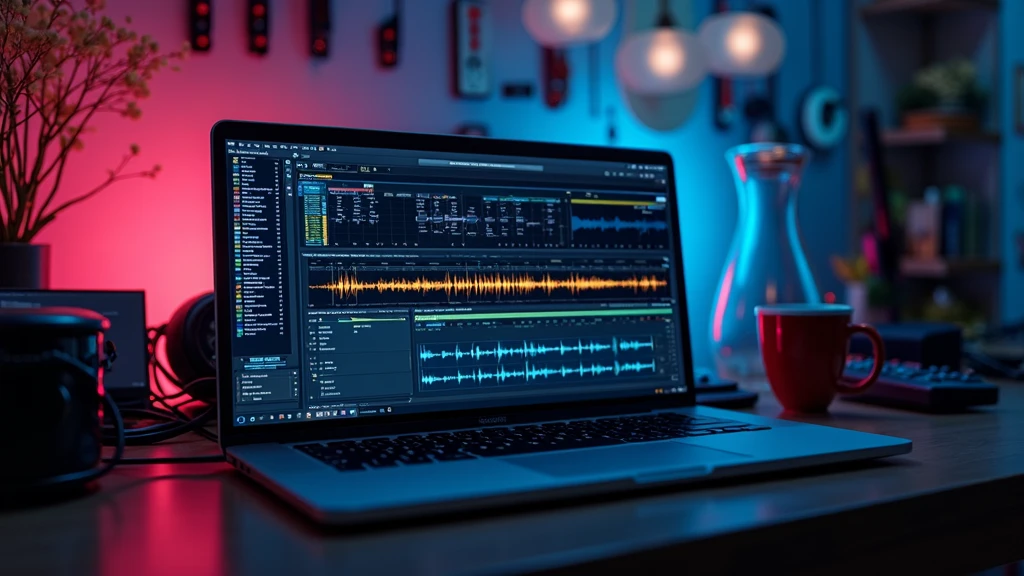
- Layer Multiple Tracks: Mix and blend several AI tracks together using audio software (like Audacity or GarageBand). Blended tracks add depth and a touch of uniqueness.
- Edit After Export: Snip, loop, filter, or remix your track in an editor. Personalizing a base track with your favorite tweaks can make it unmistakably yours.
- Add Live Elements: Whether it’s your vocals, an instrument, or a fun found sound, adding something live gives your song its own flavor—even with an AI foundation.
Blending, remixing, or experimenting can help your project stand out from the crowd and keep things feeling fresh and personal.
Places People Use AI-Generated RoyaltyFree Music
The ways to use AI royaltyfree tracks are pretty much endless. Here are some of the most popular spots:
- YouTube & Social Media: Skip copyright strikes and keep those videos monetized.
- Podcasts: Whether it’s a catchy intro tune or background ambiance, AI makes it quick and unique.
- Games & Apps: Indie developers especially can set the mood without breaking the bank.
- Business Videos: Upgrade presentations, ads, or explainer videos with sound tailored just for you.
Even wedding videos, personal slide shows, or family movies get a cool upgrade with music that you create to match the feeling you’re after.
Frequently Asked Questions
Here are some questions people often ask about royaltyfree AI music:
Can I use these tracks on monetized YouTube videos?
Answer: Most sites let you do this, but always check the licensing info first. Some platforms ask for credit, while others have no such requirement.
Are AI-generated tracks truly original?
Answer: Yes. The algorithms mix together massive datasets and create each piece from scratch. You might pick up familiar vibes sometimes, but each track is uniquely generated.
Is there a risk of someone else making the same track?
Answer: Pretty unlikely, unless you use the identical settings. Even small tweaks make your version stand out.
Do I have to pay ongoing fees to use my downloads?
Answer: Most platforms let you use your downloads forever, royaltyfree, even if you cancel a subscription. Read the fine print, as free tiers can have some usage limits.
Final Thoughts
AI music tools set free a whole world of creativity for anyone who needs quality royaltyfree music. With so many styles, clear licenses, and easy operations, you can skip endless hunting or copyright stress and focus on making your projects shine. Getting hands-on with a couple of different tools is the smartest way to find one that fits your process and style. Since these tools keep getting sharper and more creative, expect even cooler options and easier workflows in the near future.