Elgato Stream Deck Optimizing Live Streaming For Vloggers
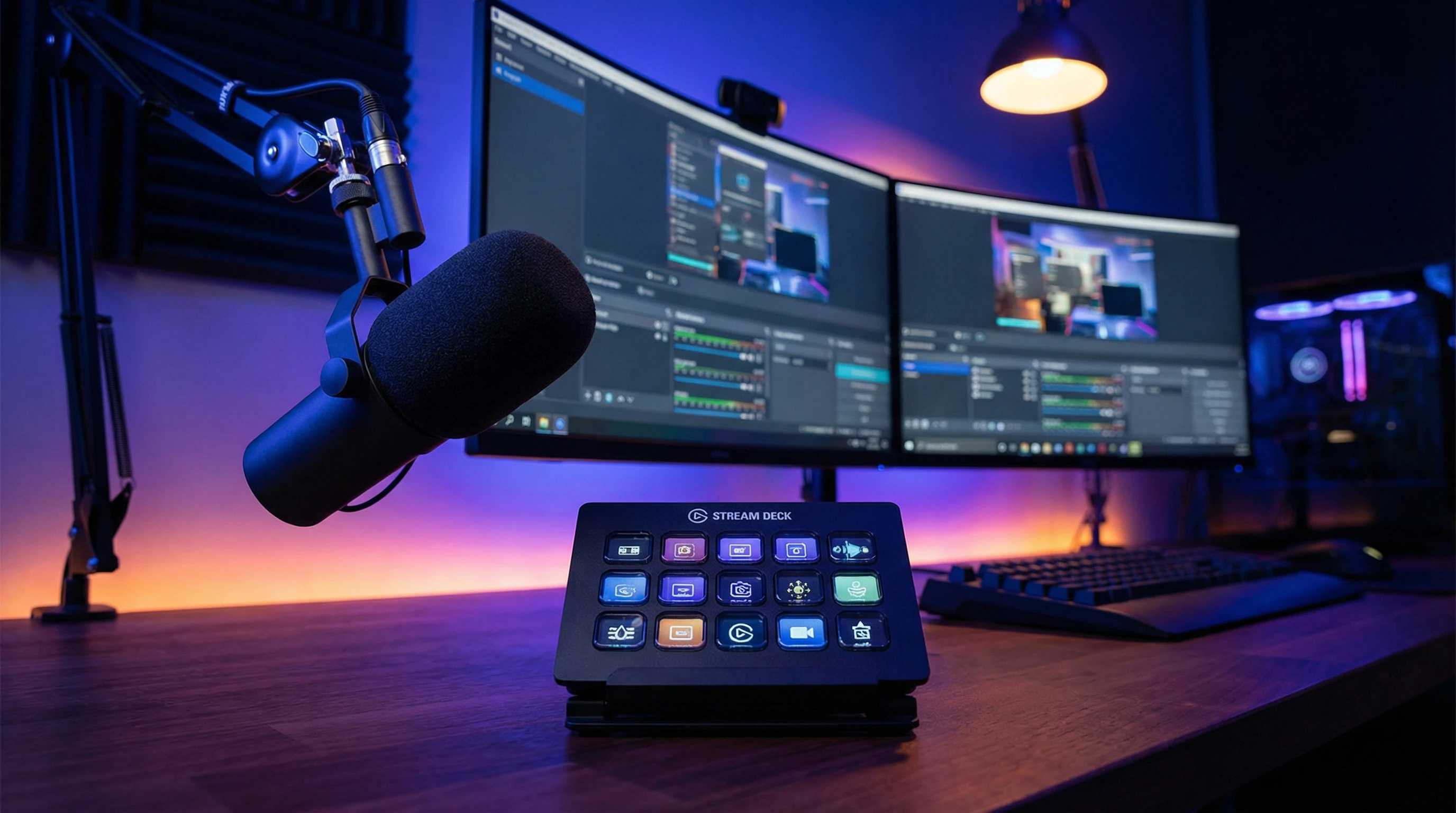
Welcome to the Elgato Stream Deck Guide for Vloggers!
Curious about using the Elgato Stream Deck to get the most out of your live streams? You’re in the right place. Below, I’m sharing clear answers to the questions I get most often about using the Stream Deck for live vlogging and content creation. If you’re still wondering about something after reading, you can always check the Elgato website for more support or reach out to their help desk.
Elgato Stream Deck on Amazon
What is the Elgato Stream Deck?
What does the Stream Deck do?
The Elgato Stream Deck is a customizable control pad with physical buttons that let me run different commands instantly while I’m live streaming. It lets me switch scenes, play sound effects, adjust audio, launch websites, and control lighting, all with one tap. It works well with streaming software like OBS Studio, Streamlabs, and also connects with platforms such as YouTube or Twitch.
Who is the Stream Deck for?
The Stream Deck is designed for people who create video or livestream content, such as vloggers, gamers, podcasters, or anyone running livestreams. If you want to make your stream look and sound more professional and cut down on awkward pauses, this tool can make that a lot easier. Even if you’re just starting out with content creation, the controls help your workflow stay smooth and gives your videos a more polished feel.
Which Stream Deck models are available?
There are a few different Stream Deck models, including Mini (6 keys), the regular (15 keys), XL (32 keys), and the Mobile app version. The regular and XL versions are the most popular, especially if you use a lot of different commands when streaming. I started with the 15-key version and found it had enough buttons for most vlogging setups. For advanced productions or if you want a dedicated setup for every task, the XL is a strong choice too.
Elgato Stream Deck on Amazon
Setup, Compatibility, and Connections
What devices and software work with Stream Deck?
The hardware connects via USB to Windows PCs and Macs. The free software lets me drag and drop actions onto each button. Popular streaming software like OBS Studio, Streamlabs, XSplit, Twitch, YouTube, and even Discord are supported through built-in integrations. There are plugins for controlling cameras, lights, and more, making it easy to get things set up for your particular broadcast style.
How do I set up the Stream Deck?
I downloaded the Stream Deck software from Elgato’s official site and plugged in the device via USB. The software automatically detected the Stream Deck. I set up each button by dragging my most used commands, like “Start Streaming” and “Mic Mute,” onto the keys. I also created folders for different tasks, which really helps keep things organized. If you want to personalize your buttons even more, you can create your own graphics/icons for easy spotting.
Do I need technical skills to use it?
No advanced knowledge is needed. The software uses a simple drag and drop approach, and Elgato’s tutorials walk through basic to advanced features. If you want to do more complex automations, like setting up multistep macros, the process is still pretty easy to follow. Beginners can feel comfortable, and there’s room to grow into the more advanced tricks as you get comfortable with the basics.
Elgato Stream Deck on Amazon
Popular Uses for Vloggers
How can the Stream Deck improve my live vlogs?
For me, the big benefit is speed and control. With the Stream Deck, I can instantly switch between scenes, like moving from my main camera to a screen share, or play a stinger video with one press. I can trigger sound effects, change my lighting, or start an intro sequence, which creates a smoother viewing experience. It also helps cut down on awkward delays since I’m not fumbling with software controls mid-stream. This gives the whole presentation a professional energy without needing a big production crew.
What are some cool features for vloggers?
Some of the features I like best include:
- Customizable buttons with my own icons for quick recognition
- Multiaction buttons that let me run several actions at once, like turning on lights and starting my intro music with one tap
- Integration with tools like OBS Studio, Twitch, YouTube, and even Philips Hue or Elgato Key Lights
- Folders and profiles for organizing different types of content, like live Q&A or tutorials
There’s also a growing library of user-created plugins. You can mix in some variety by adding new controls for things like chat management, background music, or social media posts, all from your Stream Deck. As more features get added by Elgato and the community, the Stream Deck keeps growing in usefulness.
Elgato Stream Deck on Amazon
Purchasing, Pricing, and Upgrades
How much does the Stream Deck cost?
The price depends on the model. The Mini model is the most affordable, with the 15-key and XL models costing a bit more. Check the Elgato official store or trusted online retailers for the latest prices and possible discounts. Sometimes, bundles or sales are available, especially around major events or holidays. Given how much you can do, even the smaller models cover a lot of vlogging needs. Make sure to think about your usual workflow before picking a size.
Are upgrades or add-ons available?
The Stream Deck’s main upgrades come from software updates, which often add new features and plugin support. Hardware add-ons like mounting stands or faceplates can help with comfort and style, but they aren’t required for basic use. The system is flexible, so you don’t have to worry about buying new gear all the time—most improvements come with free updates you’ll get automatically.
Elgato Stream Deck on Amazon
Support and Troubleshooting
Where can I get help or find tutorials?
Elgato has a helpful support center with written and video tutorials. The community forums and YouTube are good places to find setup guides and tips for specific streaming software as well. I’ve also found that many content creators share their custom profiles and icons, which can be a nice shortcut to try new features.
What should I do if a button stops working?
Most issues can be fixed by restarting the Stream Deck software or reconnecting the device. If a key isn’t responding, I check that the button is assigned properly in the software. Elgato’s official support can walk you through other troubleshooting steps if needed. In rare cases, unplugging and plugging back in the device solves glitches. If you have ongoing problems, there’s a solid online FAQ and a dedicated help desk to ask for personal support.
Got Other Questions? I’m Happy to Help!
If you’re still unsure whether the Elgato Stream Deck is right for your vlogging setup, I recommend looking at user reviews or joining online content creator groups. Most vloggers find that it helps save time and adds a professional touch to their streams. The tool has become popular not just for vlogging but also for gaming, meetings, and presentations. If you run into a challenge, there’s usually an easy fix or helpful advice available out there. If you want to step up your live streams and simplify your creative workflow, the Stream Deck is worth checking out.
Elgato Stream Deck on Amazon