How To Edit Vlogs Like A Pro
If you’re looking to crank up the quality of your vlogs and make them look like something straight from a seasoned creator’s channel, editing is where a lot of the magic happens. Even basic footage can pop with the right cuts, music, and effects layered in. I’m breaking down the steps you need, what tools you’ll want, and some techniques to get your edits looking pro in no time.
Vlog Editing Basics: What You Need to Get Started
The right setup makes editing way less stressful. It’s not about having the fanciest gear; it’s about working efficiently and bringing the stories you want to tell to life. Here are a few essentials I always keep close when heading into vlog editing:
- Reliable Computer: A laptop or desktop with enough power to handle video files smoothly. For basic HD footage, even a midrange machine will do the trick.
- Editing Software: Programs like Adobe Premiere Pro, Final Cut Pro, DaVinci Resolve, or iMovie all work well. There are free options like HitFilm Express or Shotcut if you’re starting with a budget.
- Headphones: Audio issues are easier to spot (and fix) when you’ve got clear sound. Any comfy pair will do to start.
- External Hard Drive or Ample Storage: Video files devour space, so storage is something you’ll quickly appreciate as you film more.
Having these basics covered will help you focus on telling your story, not troubleshooting your workspace.
Key Steps for Editing Vlogs Like a Pro
Most great vlogs use similar steps in their editing workflow. These steps keep things organized and cut down on how much time you’ll spend staring at a timeline, wondering what to do next.
- Import and Organize: Bring all your video, audio, and extra assets (like music, overlays, or graphics) into your editor. I sort everything into folders by day or type to keep things smooth.
- First Pass; Rough Cut: Quickly trim away unusable bits (mistakes, long pauses, extras you know you won’t need). This is where your story starts taking shape.
- Second Pass; Tighten & Step Up: Find the best takes, arrange them, and cut tighter. Here’s where I tweak audio and make sure no awkward silences or jumpy transitions slip through.
- Add BRoll: BRoll covers up cuts or quiet spots and keeps the video visually interesting. Clips of scenery, reactions, or activities always add polish.
- Audio Work: Adjust music, boost dialogue, reduce background noise, and drop in sound effects if they fit your style.
- Color Correction & Grading: Tweak the exposure, contrast, and color to give each shot a consistent look. Even small changes help tie everything together.
- Titles, End Screens & Calls to Action: Add these after the edit feels finished. They remind viewers to like, comment, and subscribe or check out other videos.
- Exporting: Save your video in a webfriendly format (usually MP4) and double-check that it plays properly on your platform of choice.
Editing Techniques That Make Vlogs Stand Out
It’s the details and little tricks that take a vlog from plain to polished. These are a few techniques I use that bring a pro vibe to every edit:
- Jump Cuts Done Right: Trim out “ums” and pauses, but make sure jump cuts feel intentional. I sometimes zoom in slightly on one clip to hide the cut, or drop BRoll over it for a smoother feel.
- Use Music for Mood: Choose background tracks that match the vibe you want. Upbeat for energy, chill tracks for reflection, or quirky tunes for fun sequences. Websites like Epidemic Sound, Artlist, and YouTube Audio Library are pretty handy for finding music that’s clear to use.
- LUTs and Presets: LUTs (short for LookUp Tables) and editing presets offer oneclick color grading. They’re handy for keeping your visual style consistent across videos. There are plenty of free and paid options out there.
- Transitions and Motion: Don’t go overboard here. Clean fades, whippans, or simple slides can help move the story along. Save flashy effects for those moments where you really want to highlight a change.
- Subtitles and Captions: Making your videos accessible means more people stick around. Most editors let you add them fairly easily, but there are online tools like Kapwing or Veed.io if you want a shortcut.
Common Challenges (and How I Tackle Them)
Editing vlogs sounds straightforward, but sometimes things just don’t go as planned. Here’s how I handle a few challenges that pop up most often:
Editing Slowdowns
Old computers or big files can seriously slow things down. I keep my raw footage on an external SSD, and I close other programs when editing. Proxy editing (using lower quality files until the final export) is a lifesaver if your software supports it.
Audio Headaches
Background buzz and echo can sneak in. Simple tricks like background music, EQ filters, or noise reduction tools (built into editors like Premiere or Resolve) do wonders. If you’re shooting in noisy spots, an external mic helps a ton for your next shoot. For tough audio, sometimes it helps to step back and try different software or filters until the problem improves.
Color Mismatches
Lighting that changes from clip to clip can make a vlog look messy. Most editors include color wheels, automatching, or scopes that help even out color and exposure. It takes a little trial and error, but your videos will look way more professional once you get the hang of it. If you have access to someone with color grading skills, sometimes teaming up can really give your videos a boost.
Burnout
I’ve hit walls where nothing feels right and editing takes forever. A quick walk or editing in short bursts helps keep things fresh. Sometimes, just working on a different video for a bit gets the creative energy back. You can also jump into tutorials or watch a favorite creator for inspiration when motivation runs low.
Gear That Makes Editing Easier (and More Fun)
You don’t need a Hollywood setup, but a few smart upgrades can make editing vlogs way smoother:
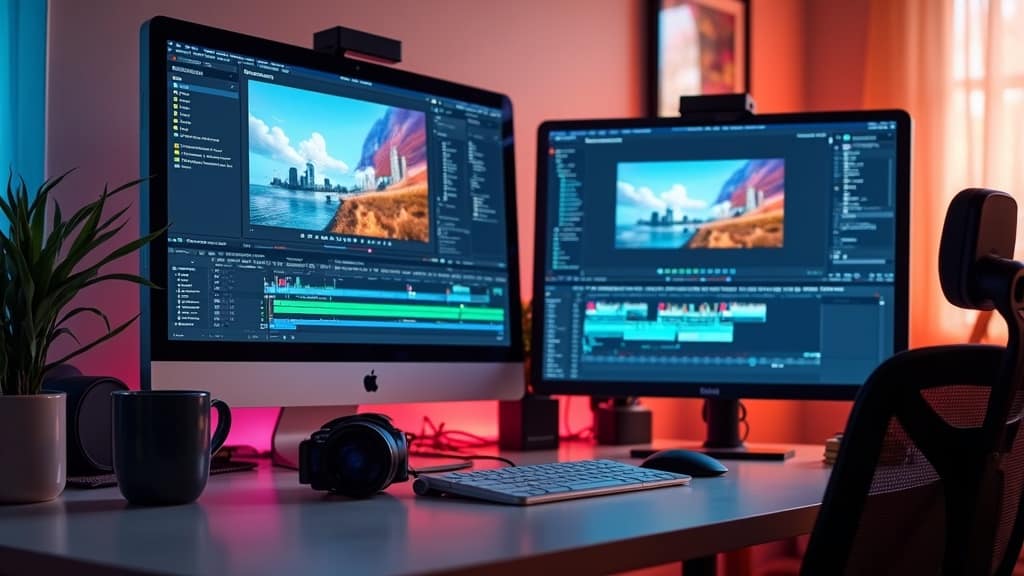
- Second Monitor: More screen space means it’s easier to organize timelines, bins, and effect panels. A simple, affordable monitor works great for this.
- External SSDs or HDDs: Faster drives mean less waiting for files to load or save. I use portable SSDs for endless editing possibilities and archiving older projects to HDDs to free up main storage.
- Editing Control Surfaces: Items like editing keyboards or control panels (Loupedeck, for example) are cool for speeding up repetitive tasks if you’re editing a ton.
- Good Office Chair and Mouse: Comfort matters when you’re staring at clips for hours. A chair that supports you and a mouse that fits your hand really helps. Ergonomics mean less fatigue and more creative energy over the long haul.
I started off with just a laptop and a set of headphones, so don’t stress about getting everything at once. Add new tools as you go, or when you start feeling like a current setup is holding you back. Sometimes, friends or family might lend you tools or advice to ease your workflow, so don’t hesitate to ask around if you need a boost.
Pro Vlog Editing Tips for NextLevel Content
Once you’re comfortable with the basics, small tweaks and new approaches can keep your edits fresh and engaging. Here are some things I love to experiment with:
- Storyboarding: Jot down your video’s main points before you shoot or edit. It cuts down on wasted time and helps you focus on what matters.
- Sound Design: Adding small whooshes, pops, or ambient effects can give a boost to transitions and add energy. These sounds are easy to find on stock audio sites and bring those nextlevel cool vibes to your edit.
- Consistent Branding: Use the same fonts, colors, and transitions across videos to help viewers remember your channel and style.
- Pacing: I often watch my rough cut at twice the speed to spot slow spots. If I’m getting bored watching, viewers probably are too. Practicing pacing helps you keep your content lively and snappy.
- Audience Feedback: Keep an eye on your analytics and comments. If people skip certain sections or love a new effect, use that info to tweak future edits. Feedback is the best teacher for creative growth.
More Tips to Step Up Your Editing
Sometimes it’s the smallest hacks that keep your workflow smooth and your creative energy up. For instance, set up keyboard shortcuts for your mostused tasks, or try batch processing footage with color corrections. Regularly back up your files to avoid losing your hard work. Watching videos you admire can offer new editing ideas, and don’t be afraid to try out plugins or new techniques you stumble upon online. The editing community online is active and full of people ready to share their latest tips, so jump into forums and discussion boards to get new insights.
Frequently Asked Questions about Vlog Editing
Lots of vloggers run into similar questions as they start editing. Here are some I get a lot, along with my thoughts:
Question: Which editing software is best for beginners?
Answer: iMovie (Mac), DaVinci Resolve, or Shotcut are all super approachable. As you get more confident, try something like Premiere Pro or Final Cut Pro for advanced features.
Question: How do I keep my videos looking consistent?
Answer: Use the same LUTs or color correction settings, stick with familiar fonts and music, and watch your old videos to spot what’s working best. Keeping a template on hand for your graphics and outros can also make everything match up.
Question: How long should a vlog take to edit?
Answer: For a 10minute vlog, the actual editing might take 2–6 hours depending on how polished you want to go and how much footage you shot. With practice, that time drops a lot. If you want things to move quicker, set a timer for yourself to avoid overediting.
Ready to Polish Up Your Vlogs?
Acing your vlog edits is really about mixing creative choices with practical workflow. The more you edit, the faster and better you get, and little touches—from the way you layer audio to your favorite transitions—become part of your signature. Keep experimenting, listen to feedback, and have fun along the way. Every video is a chance to learn something new and push your content to the next level.